

Most enhanced proctoring features cost 4 additional credits per attempt. Candidate recording costs 15 additional credits per attempt. If you turn on multiple enhanced features, the credit cost is cumulative.
How to Turn On Enhanced Proctoring
1
Open the Proctoring Section
Go to your Tests page, click Settings next to the test, and choose Proctoring from the list of sections.
2
Turn Proctoring On
Turn on the switch at the top right of the Proctoring section. The enhanced options only show while proctoring is On.
3
Turn On the Features You Need and Save
Under Enhanced proctoring, turn on each feature you want. The badge next to each one shows its cost, for example +4 credits / attempt. Then click Save settings.
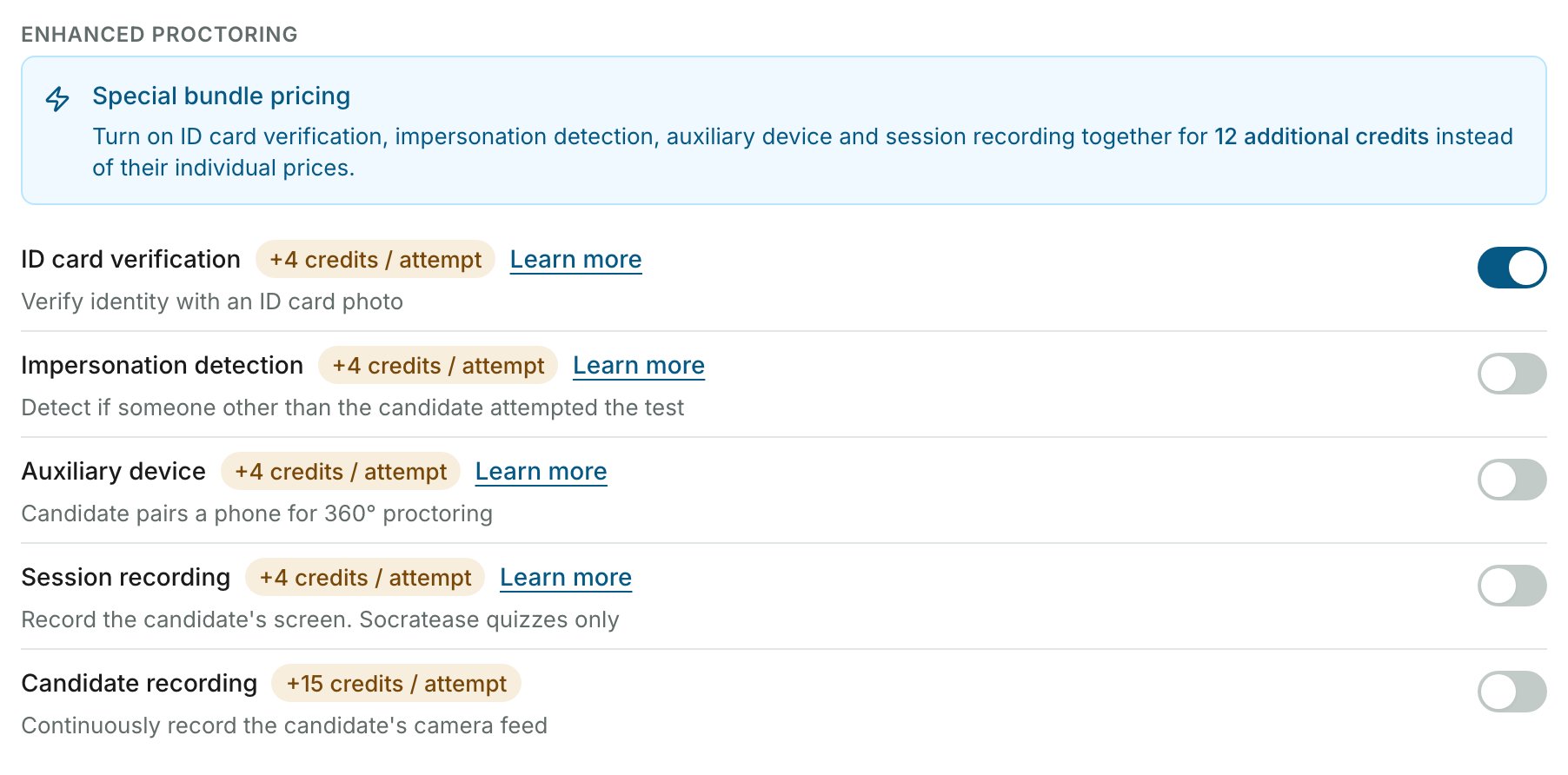
Available Features
ID Card Verification
ID card verification confirms the candidate’s identity by matching their uploaded ID against their test photo and entered name. When starting the test, the candidate uploads a photo of their ID card. Accepted documents include candidate ID cards, passports, driver’s licenses, and government-issued IDs.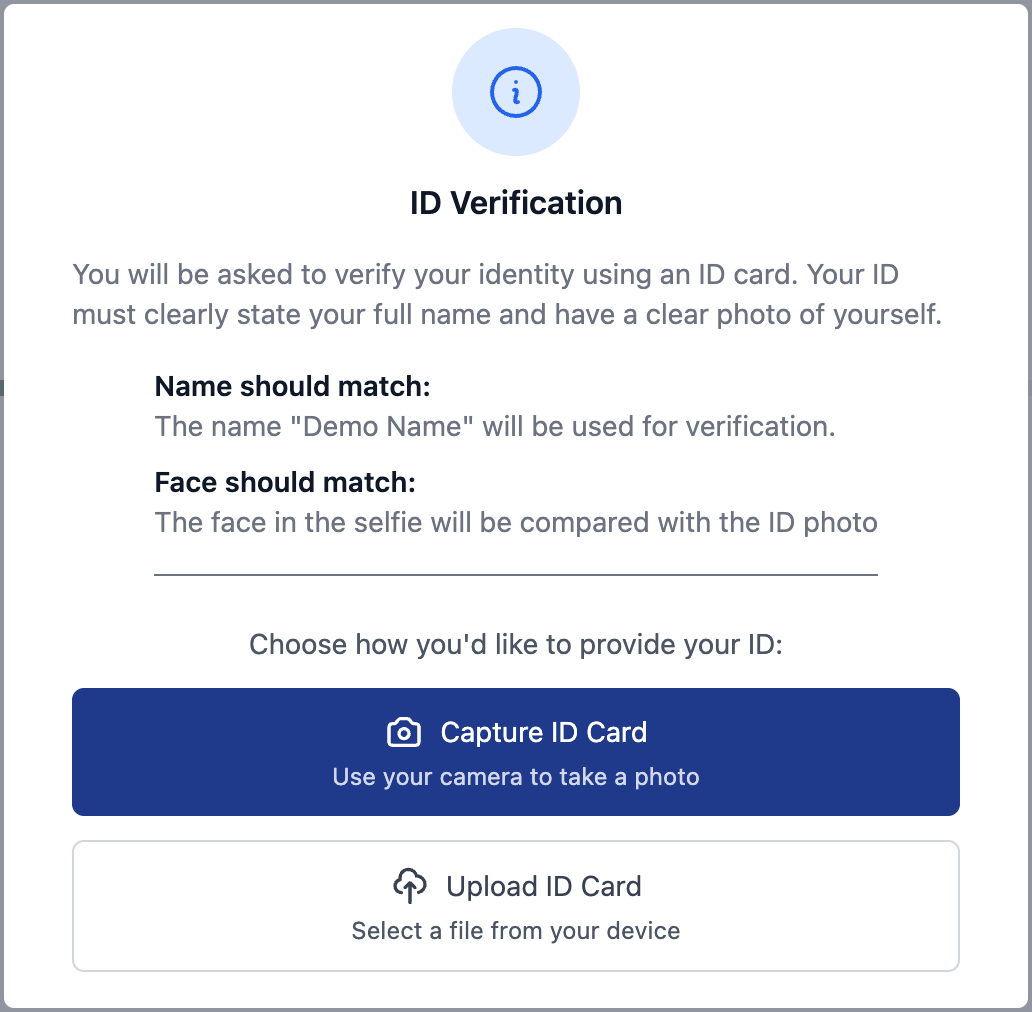
ID verification screen before test start
Photo before test start must be on under What gets tracked for ID card verification to work effectively.
Impersonation Detection
Impersonation detection monitors whether someone other than the original candidate attempts or continues the test. AutoProctor compares periodic photos taken during the test against the initial photo to detect face changes.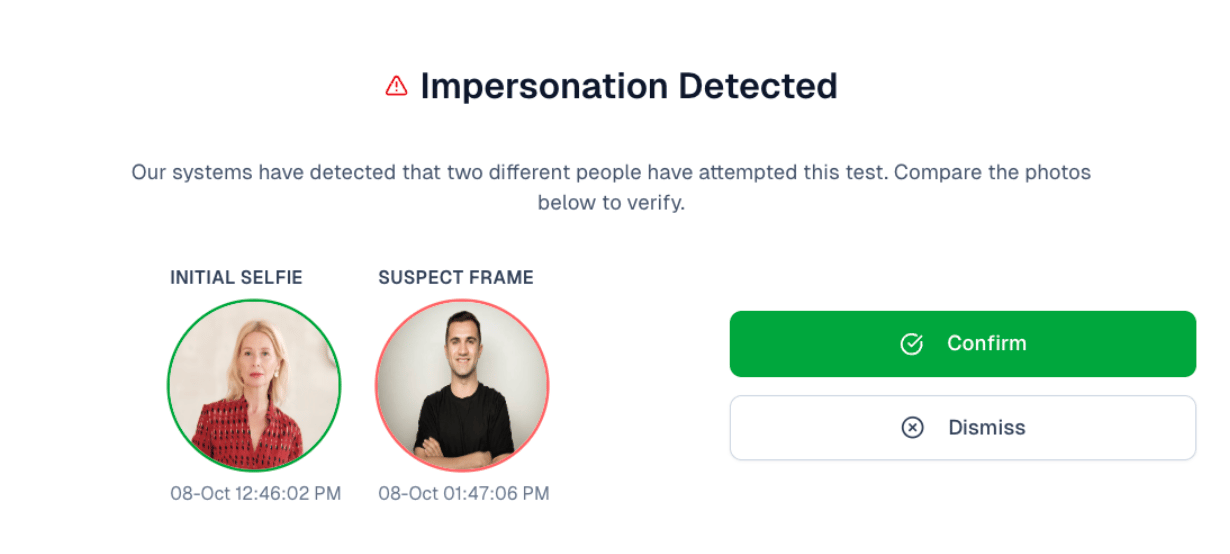
Impersonation evidence on report
Auxiliary Device (360° Proctoring)
The Auxiliary device feature enables 360-degree proctoring by pairing the candidate’s phone with their laptop. When the test starts, the candidate scans a QR code on their laptop screen with their phone camera to pair the two devices. The phone captures the candidate’s desk, surroundings, and screen from a different angle. This also helps detect AI tools that display answers as overlays on the screen.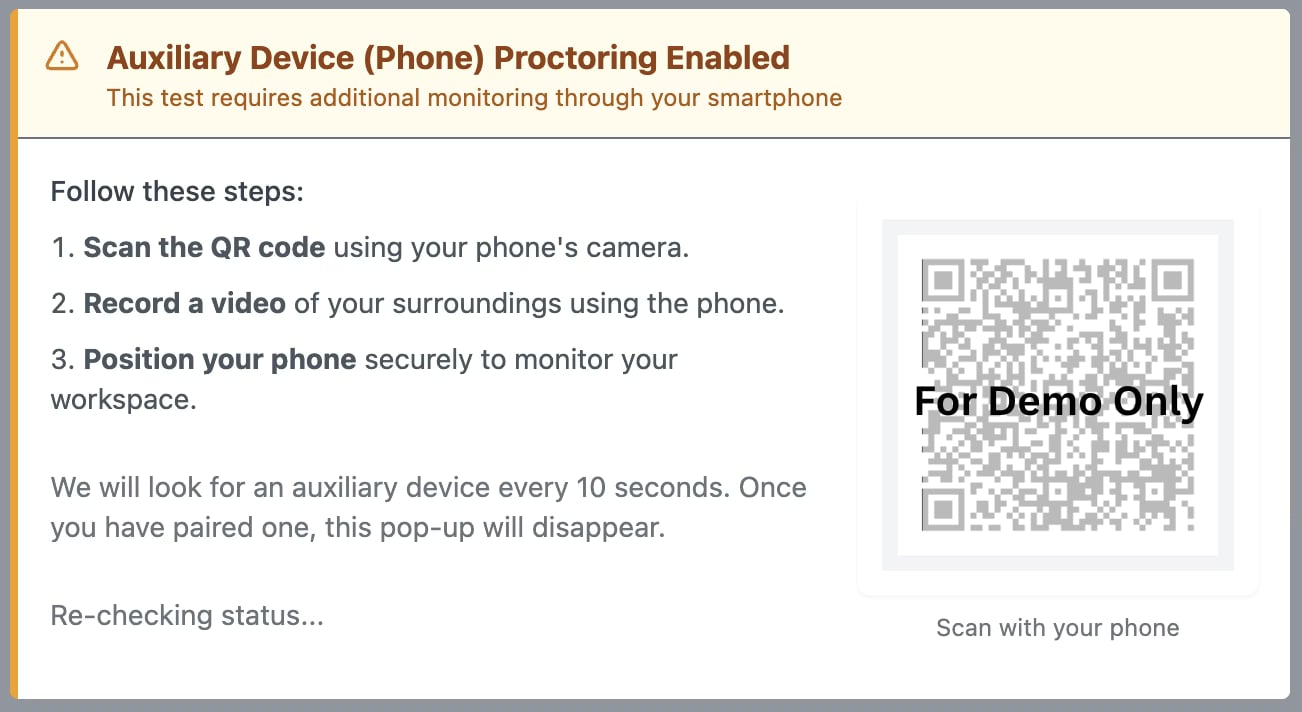
Auxiliary device pairing screen before test start
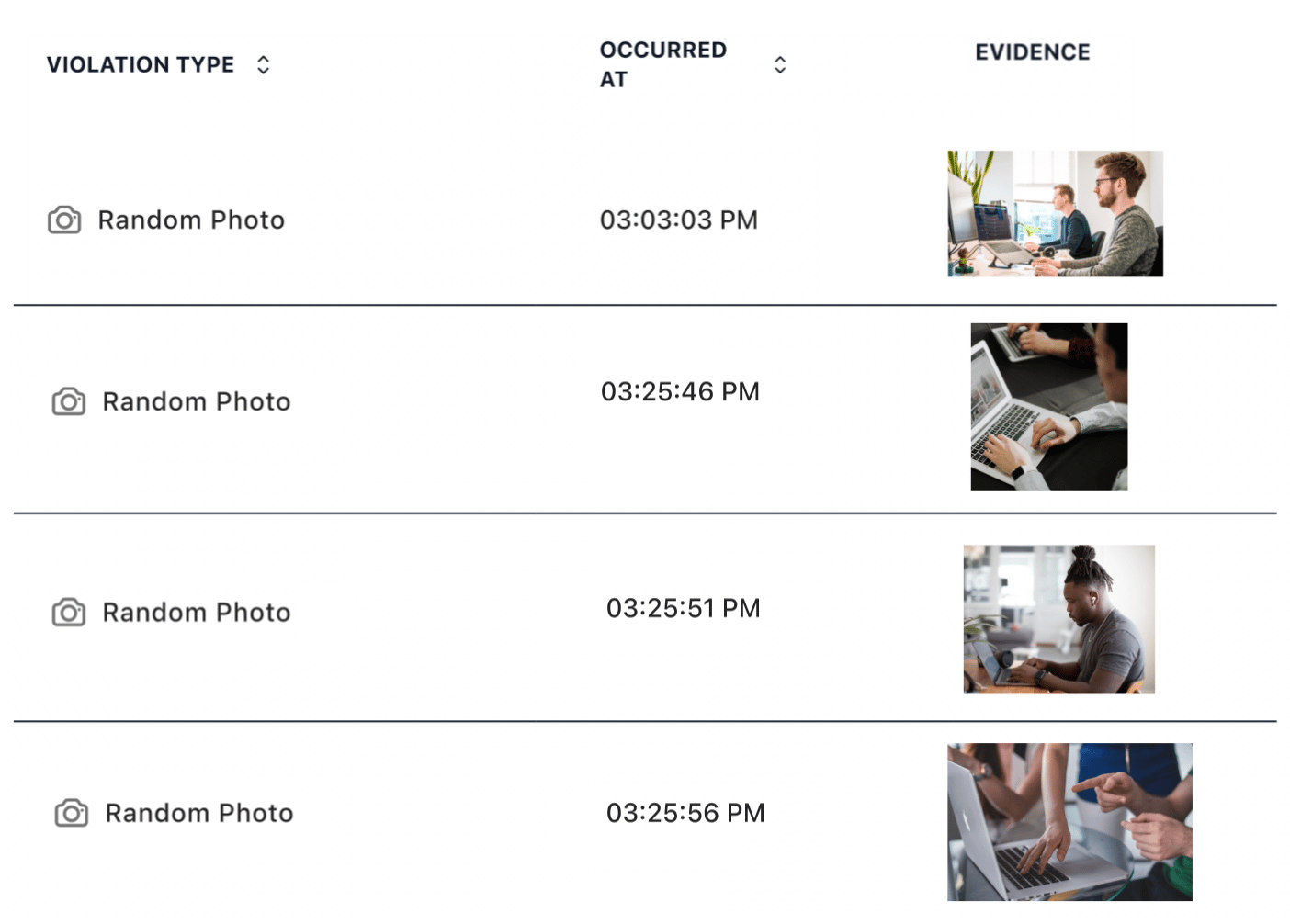
Auxiliary device evidence captures
Session Recording
Session recording captures a complete record of the candidate’s screen activity throughout the test, including mouse clicks and keyboard input. This creates a reviewable timeline of the entire test attempt, which you play back in the Session recording tab of the candidate’s report.Session recording is available on Socratease quizzes only. On other tests, its switch is disabled and reads Can be enabled only on Socratease quizzes.
Candidate Recording
Candidate recording continuously records the candidate’s camera feed throughout the entire test. You watch it in the Candidate recording tab of the candidate’s report. Try the enhanced proctoring demo to see these features in action before enabling them on your test.Credit Cost Summary
These credits are added to the 1 base credit of every proctored attempt.The 25% bundle discount applies when you turn on ID card verification, Impersonation detection, Auxiliary device, and Session recording together. Socratease tests show this as Special bundle pricing at the top of the Enhanced proctoring group. Candidate recording is billed separately at 15 credits per attempt.
Related Resources
- Proctoring Settings - Basic proctoring options (camera, microphone, tab switching)
- Trust Score - How enhanced proctoring data affects the trust score
- Proctoring Results - Reviewing enhanced proctoring results
- Access Answers and Candidate Responses - Viewing detailed data for each candidate
- Payments and Credits - Understanding credit usage and purchasing
- Elite Features - Overview of premium and elite features