Google Forms tests require two settings to work together for correct resume behavior: the autosave setting in Google Forms and the auto-resume setting in AutoProctor. Mismatching these settings causes unexpected behavior for candidates.
Two settings control Google Forms test resumption:
  1. Disable Autosave in Google Forms — Controls whether draft responses are saved as the candidate fills out the form.
  2. Enable Auto-resume in AutoProctor — Controls whether AutoProctor loads the previous attempt when a candidate returns to the test link.
You must configure both settings together for the intended behavior.

To Allow Test Resumption

If you want candidates to pick up where they left off after closing the test:
1

Keep autosave enabled in Google Forms

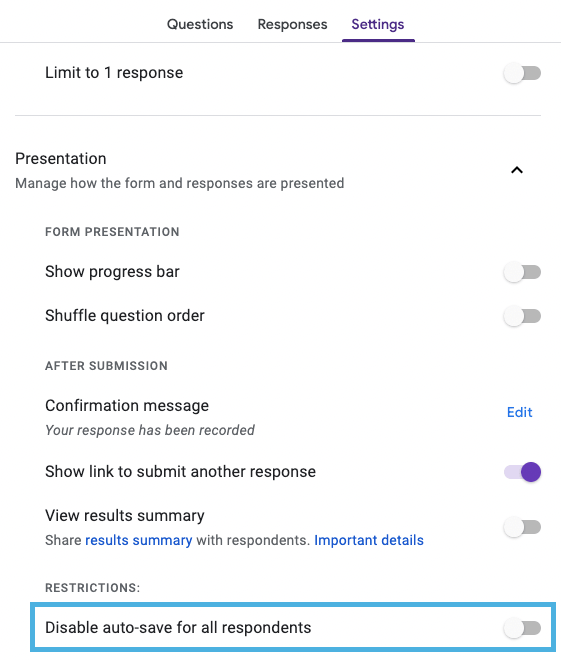
Make sure the Disable Autosave feature is OFF in your Google Forms test settings. This is the default setting, so you only need to verify it has not been changed.
Google Forms test settings showing Disable Autosave toggled OFF, keeping autosave active
2

Enable auto-resume in AutoProctor

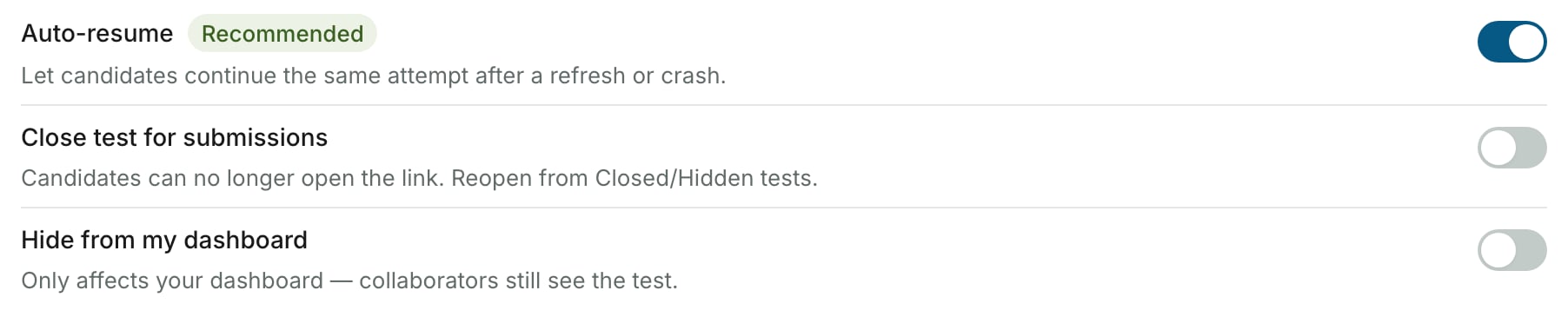
Turn on the Enable Auto-resume setting in your AutoProctor test settings.
AutoProctor test settings showing Enable Auto-resume toggled ON

To Prevent Test Resumption

If you want each visit to the test link to create a new, blank attempt:
1

Disable autosave in Google Forms

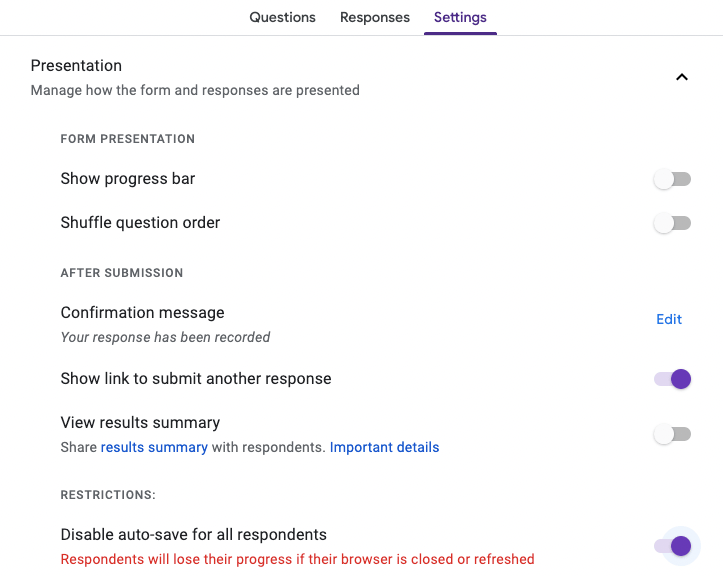
Turn ON the Disable Autosave feature in your Google Forms test settings. This prevents Google Forms from saving draft responses.
Google Forms test settings showing Disable Autosave toggled ON, disabling autosave
2

Disable auto-resume in AutoProctor

Turn OFF the Enable Auto-resume option in your AutoProctor test settings.
AutoProctor test settings showing Enable Auto-resume toggled OFF

Settings Combination Reference

Disable Autosave (Google Forms)Enable Auto-resume (AutoProctor)Result
OFF (default)ON (default)Candidates resume where they left off
ONOFFEach visit starts a fresh, blank attempt
OFFOFFNew attempt loads, but Google Forms may show previously saved answers — confusing for candidates
ONONAutoProctor tries to resume, but Google Forms has no saved draft — candidate sees a blank form with reduced time
If the two settings are mismatched (for example, autosave is enabled but auto-resume is disabled), candidates may experience unexpected behavior such as seeing a partially filled form on a new attempt or losing their saved progress. Always configure both settings to match.

Default Settings

Google Forms has autosave enabled by default, and AutoProctor’s corresponding default setting allows resuming unsubmitted test attempts. This means tests resume by default unless you explicitly change either setting.