

Choosing a Quiz Provider
You choose the provider when you create a test. Each test has exactly one provider.1
Open the Create Test Page
Go to your Tests page and click Create Test.
2
Select a Quiz Provider and Connect Your Quiz
Click one of the four providers. For Socratease Quizzes, click Continue and build your quiz. For the other three, paste the link to your quiz, enter a Test Title, and click Create Test.
3
Configure Proctoring
AutoProctor opens the test’s settings page. Set up the timer and proctoring there.
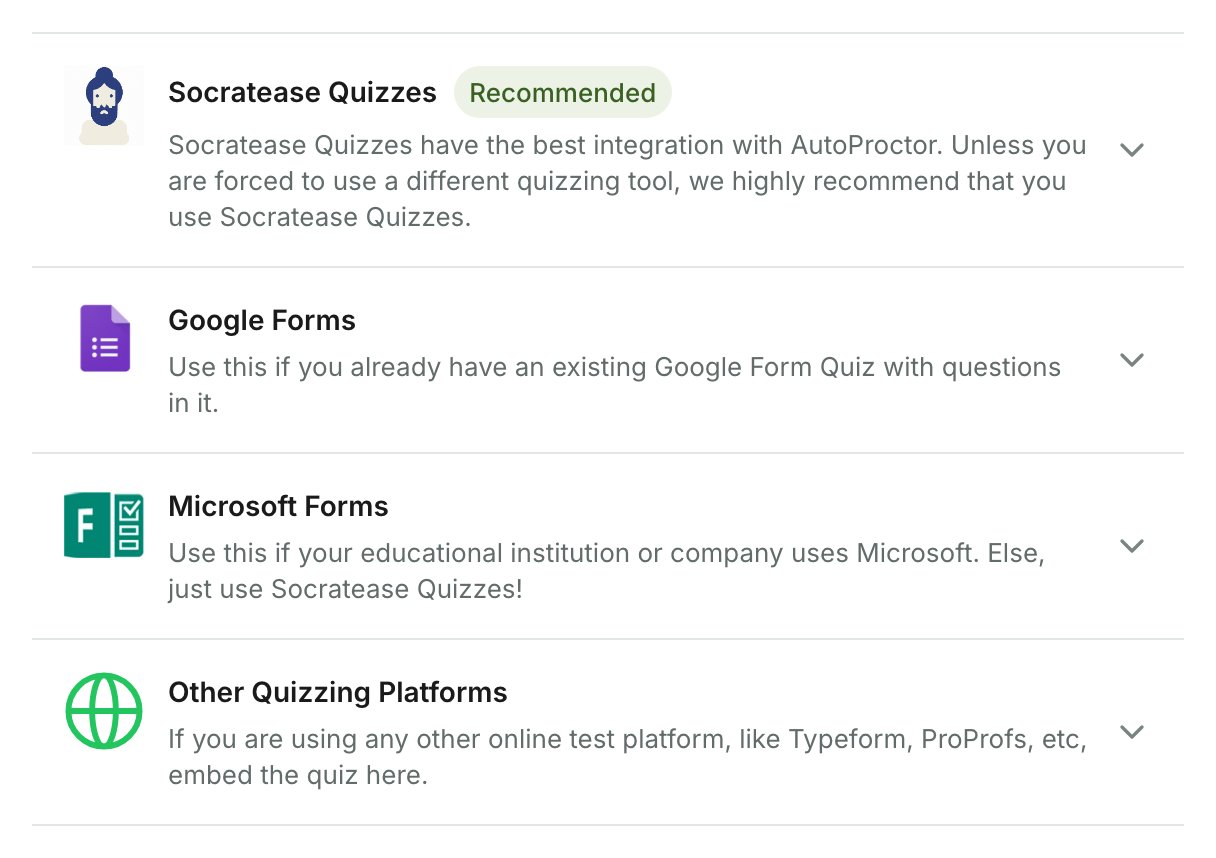
Available Quiz Providers
Tests made with Other Quizzing Platforms are called IFrame Tests in this Help Center, because AutoProctor loads the quiz inside an iframe.
What Each Provider Asks For
Socratease Quizzes
Socratease is AutoProctor’s native quizzing tool, with the tightest integration and the best candidate experience:- Single submit button: prevents answer loss from incorrect sequencing
- Auto-submit protection: saves answers before the test closes
- Multiple question types: MCQs, essays, voice responses, coding, and more
- Excel bulk import and question banks for fast quiz assembly
Google Forms
You can create the test in two ways: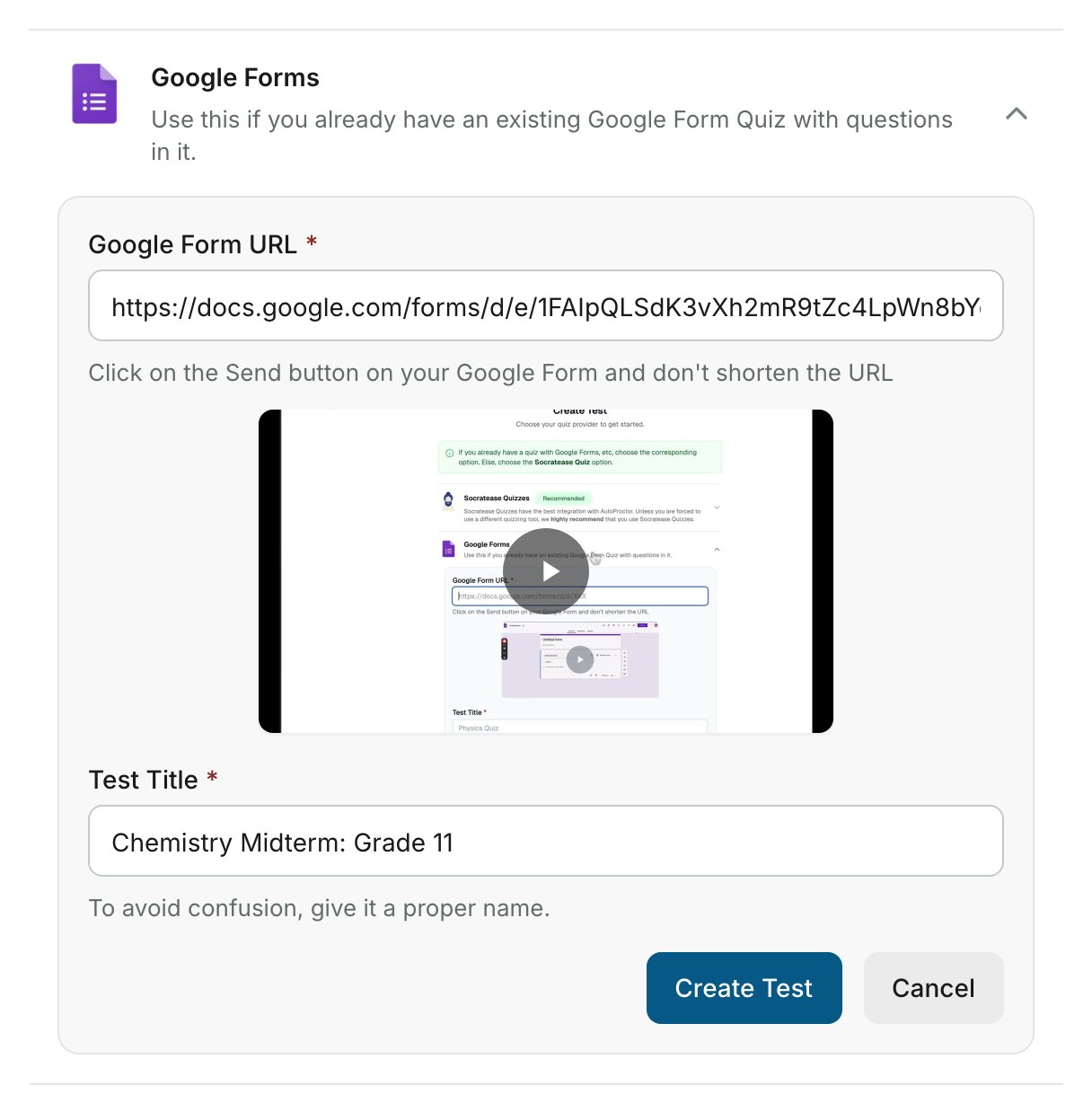
With external providers like Google Forms, your questions, points, and grading stay on that platform. AutoProctor only adds the proctoring layer.
Microsoft Forms
The Microsoft Form URL must be a link onforms.office.com, forms.microsoft.com, or forms.cloud.microsoft. Use the link meant for respondents. A link for editing or collaborating on the form is not accepted.
Other Quizzing Platforms (IFrame Tests)
Select Other Quizzing Platforms to add proctoring to any web-based quiz, such as TypeForm, ProProfs, or ClassMarker. Once you enter a valid Quiz URL, the Iframe Preview box below it loads your quiz. If an error page loads there instead, AutoProctor cannot embed that quiz. The preview is small, but the real test uses the full height and width.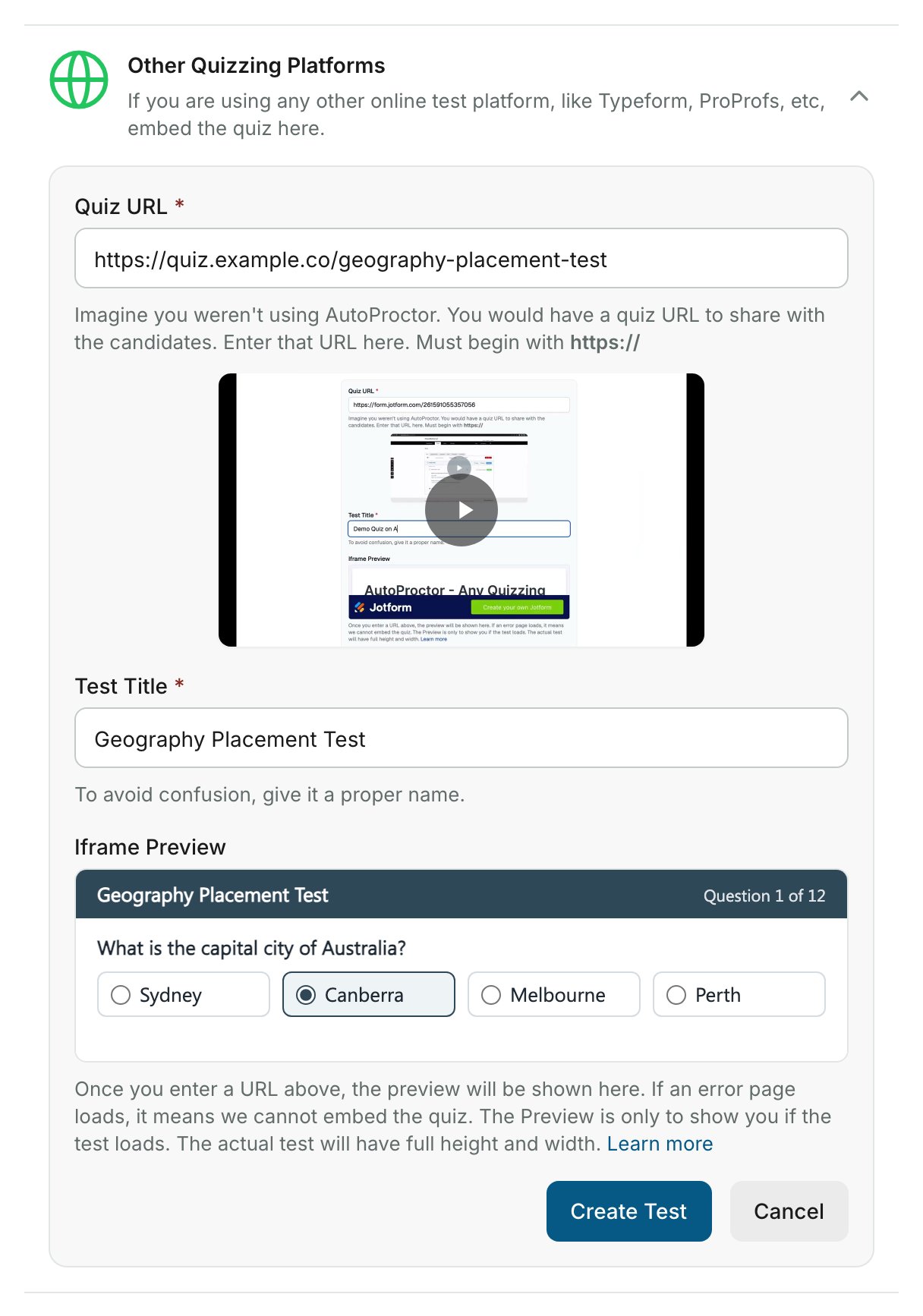
For Google Forms, Microsoft Forms, and IFrame tests, you can add parameters to the quiz link using query arguments.
Related Resources
- Why Socratease? - Benefits of using AutoProctor’s native quiz tool
- How to Create a Socratease Quiz - Step-by-step creation guide
- Timer Settings - Configure test duration and time windows
- Proctoring Settings - Camera, microphone, and tab-switching options
- IFrame Query Arguments - Customize embedded quiz URLs
- Advanced Settings - Login providers, collaborators, and more