

- A single submit button, so candidates never confuse submitting the quiz with submitting the proctored test
- 14 question formats, plus Excel imports and question banks
How to Create a Socratease Quiz
1
Go to AutoProctor
Sign in at autoproctor.co.
2
Create a New Test
On your Tests page, click Create Test, then Socratease Quizzes, then Continue.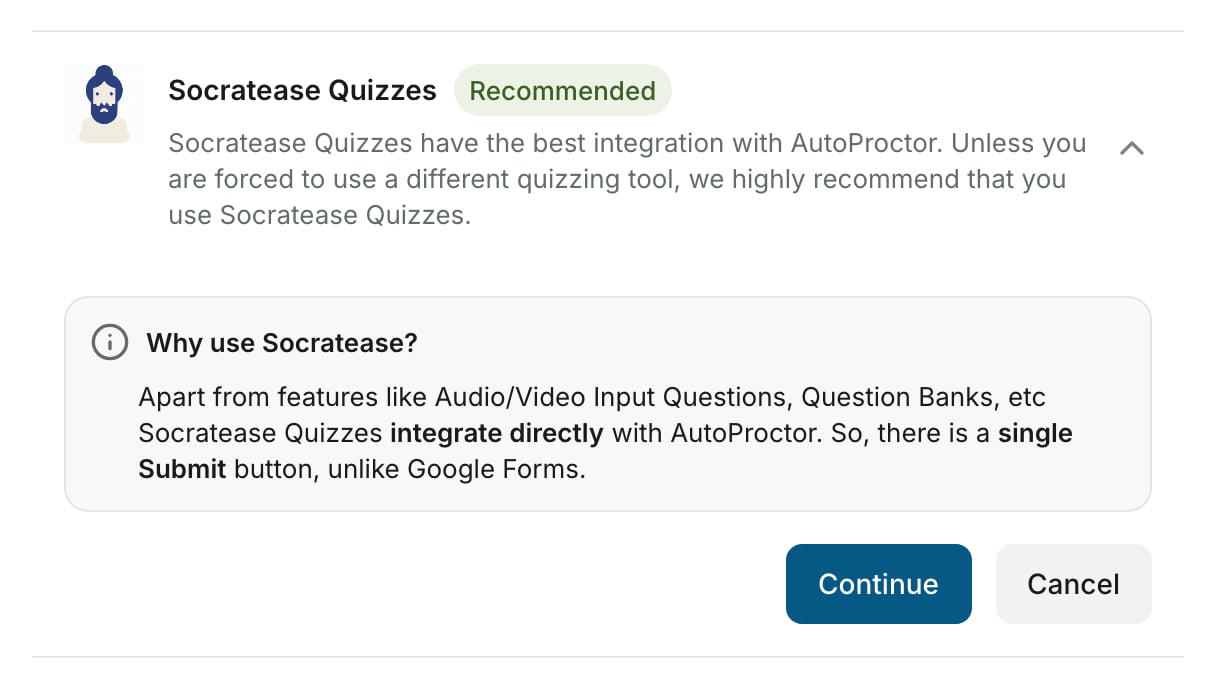
3
Add Questions
Add your questions using any of the supported question types, with points and time limits for each.
4
Configure Settings
Set up your quiz settings, such as display mode, result visibility and randomization.
5
Save and Proceed
Click Save & Proceed in the quiz editor. AutoProctor creates the proctored test and opens its settings, where you set the timer and proctoring.
6
Share the Test
Click Copy link at the top of the settings page and share the link with your candidates.
7
View Results
On your Tests page, click Results next to the test. Quiz scores and proctoring reports are in one place.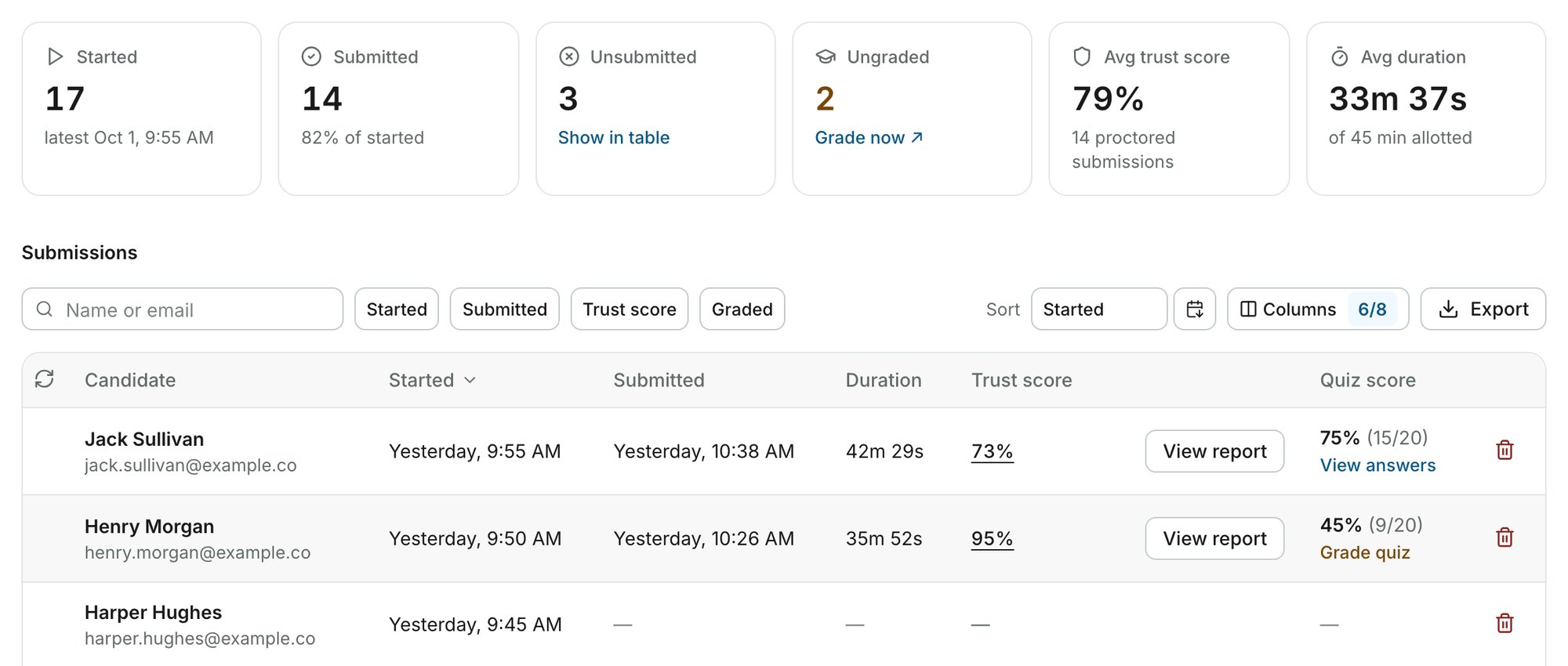
Socratease Quizzes in the Sidebar
Click Socratease Quizzes in the sidebar to see every quiz you have built, or to start a new one. A quiz that is not yet a proctored test carries a Not Added tag. Open it and click Save & Proceed to create its test.Edit a Quiz Later

Related Resources
- Why Socratease Quiz? - Benefits of using Socratease
- Question Types - All available question formats
- Question Type Availability - Which question types are available on your plan
- Quiz Settings - Configure your quiz behavior
- Bulk Import from Excel - Import questions in bulk
- Showing Results to Candidates - Manage result visibility