

Question Banks are an Elite plan feature. You need an Elite subscription to create and use Question Banks and Question Bank Quizzes. See Elite Features for details.
What is a Question Bank?
A Question Bank (QB) is a collection of questions organized by subject or topic. Each question in the bank can have a different point value and difficulty level. When candidates take a test, they receive a randomly selected subset from the bank rather than the full set of questions.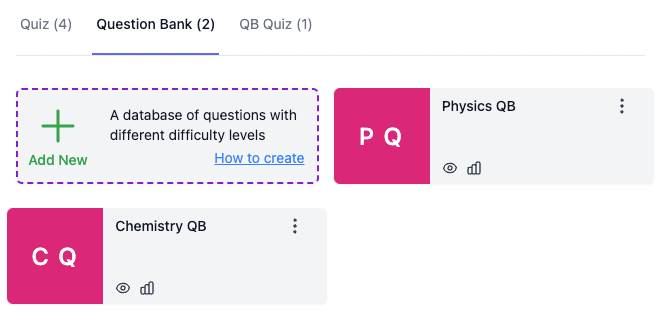
Example: Physics and Chemistry Tests
Imagine you have two Question Banks:- Physics Question Bank: 100 questions across various difficulty levels
- Chemistry Question Bank: 100 questions across various difficulty levels
Each candidate receives a different random subset of questions from the respective banks, but the overall structure (number of questions, points, difficulty distribution) stays consistent across all candidates.
Question Bank Quizzes (QBQ)
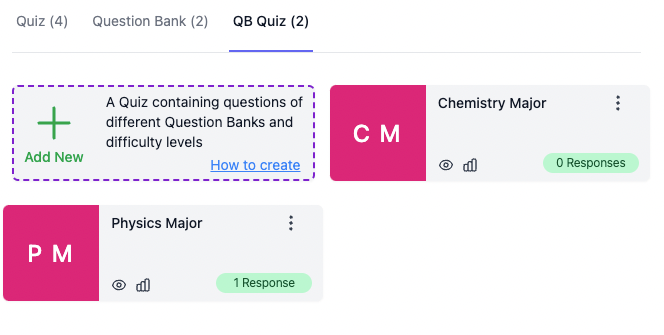
Question Bank Quiz overview showing created QBQs
- Which Question Banks to draw questions from
- How many questions to include from each bank
- The difficulty levels to include
- The point values for each difficulty level
How to Create a Question Bank Quiz
How to create a Question Bank Quiz
1
Create a Question Bank
Navigate to the Question Banks section in AutoProctor and create a new Question Bank. Add your questions, assigning point values and difficulty levels to each.
2
Create a Question Bank Quiz
Create a new Question Bank Quiz (QBQ). Select which Question Banks to draw from, how many questions to include, and which difficulty levels to use.
3
Add to an AutoProctor Test
Add the QBQ to an AutoProctor test. Share the test link with your candidates.
Related Resources
- Bulk Import from Excel - Import questions in bulk to populate your Question Banks
- Question Types - Available question formats for use in Question Banks
- Using Tags - Organize questions with tags for filtering and grouping
- Quiz Settings - Configure your quiz behavior
- Elite Features - Learn about Elite plan capabilities