

How to Logout
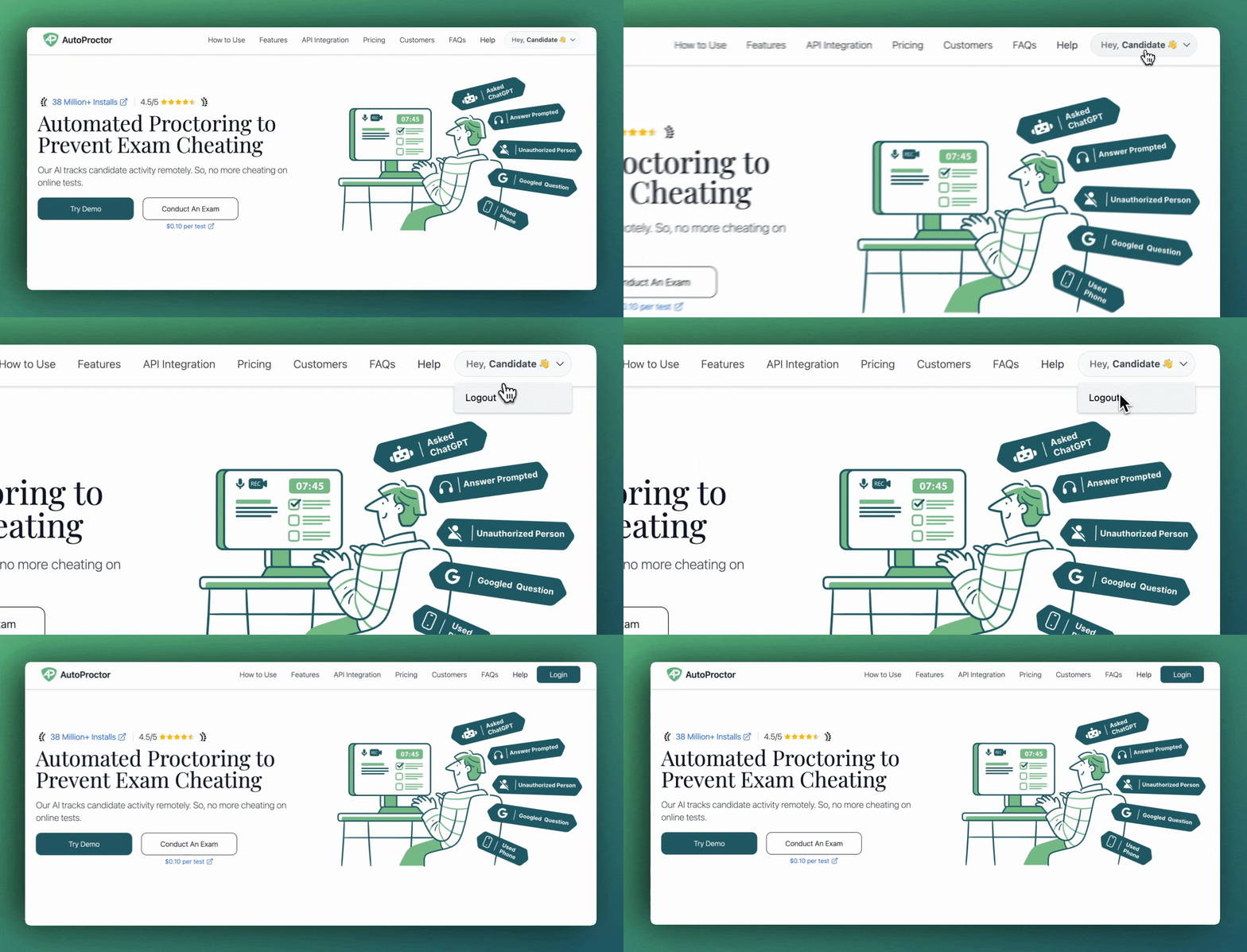
How to logout of AutoProctor
1
Click on your name
Click on your name at the top right of the screen (where it says “Hey, …”).
2
Click Logout
Click Logout from the dropdown menu.
Alternative Method
If the standard logout does not work, you can force a logout by signing out of all your Google accounts.1
Visit Google's logout page
Go to accounts.google.com/Logout to sign out of all your Google accounts.
2
Log back in to AutoProctor
Navigate back to your test link and sign in with the correct account.
Related Resources
- Candidate Login Methods - Available sign-in options
- Incorrect Candidate Name - Fix name display issues
- Blank Page or Grey Screen - Often caused by wrong Google account
- Instructions for Taking a Proctored Test - Full setup guide for proctored tests
- Contact Us - Reach out if you need further help