

The Team feature is available on the Premium and Elite plans, and during the free trial. On the Standard plan, the Team page shows an Upgrade subscription button instead.
What is a Team?
A Team is a group of AutoProctor users linked to the same billing account.
Example: a school creates one team, so all its test creators share one subscription and one credit pool.
Creating a Team
1
Open the Team page
Click Team in the left sidebar.
2
Name your team
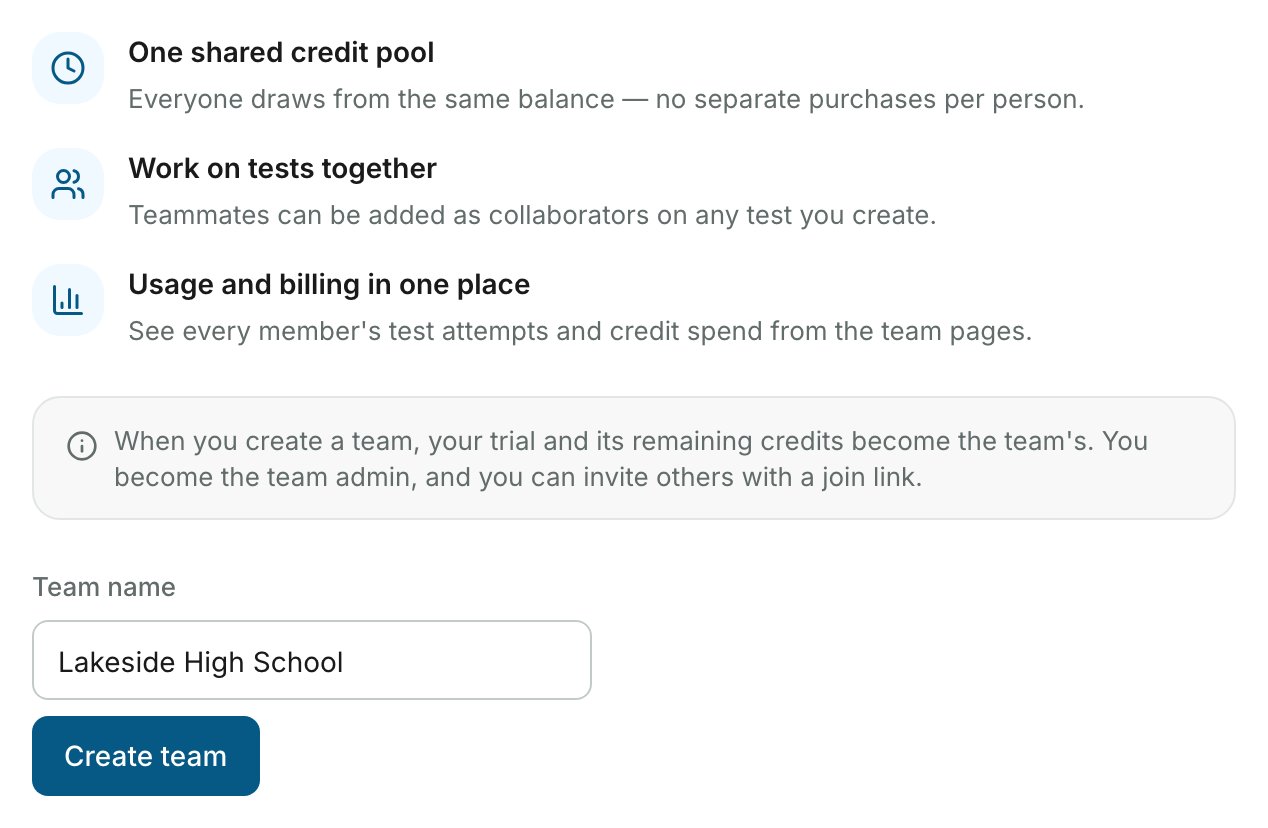
Type a name under Team name and click Create team.
Inviting Members
Members join a team through its join link. Every member of the team can see and share the link.1
Copy the join link
On the Team page, click the link under Join link to copy it. Send it to the people you want on your team.
2
The invitee opens the link
The invitee opens the link while signed in to AutoProctor and joins the team immediately.
The Team Page
Once you are in a team, the Team page shows four tiles at the top: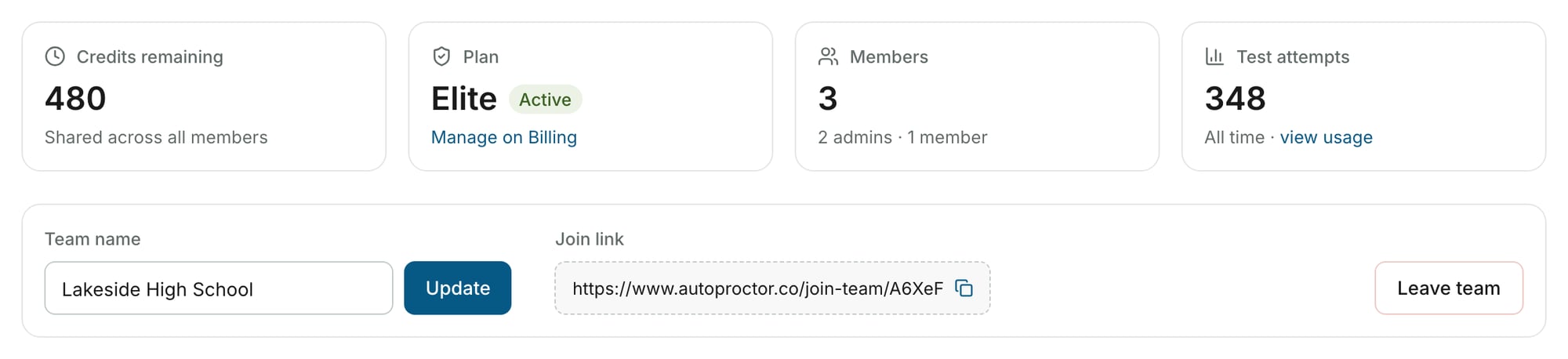

Team Admin Role
A Team Admin can do more than a regular member:
A team always has at least one admin. The only admin of a team cannot be demoted or removed.
Regular team members do not see Billing in the sidebar. If you need billing access, ask a Team Admin to promote you.
Removing Members and Leaving a Team
Related Resources
- Payments and Credits Explained - How credits and subscriptions work
- Track Test Pack Usage - Monitor credit usage across your team
- Editing Billing Information - Update payment and billing details
- Invoices for Payments - Access invoices for your team’s purchases
- Elite Features - Additional features on the Elite plan
- Contact Us - Get help with team setup